


Space Race Typing: Speed, Skill, and Strategy
Download Space Race Typing now and test your typing prowess in a high-octane space adventure. This unique fusion of racing and typing mechanics challenges players to navigate a space battleship through hostile terrain while typing incoming words to stay alive. Designed for both solo gamers and multiplayer enthusiasts, the game blends touch typing precision with reflex-driven navigation, offering an engaging experience that rewards speed and accuracy.
Overview
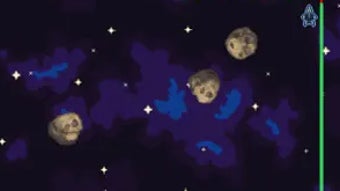
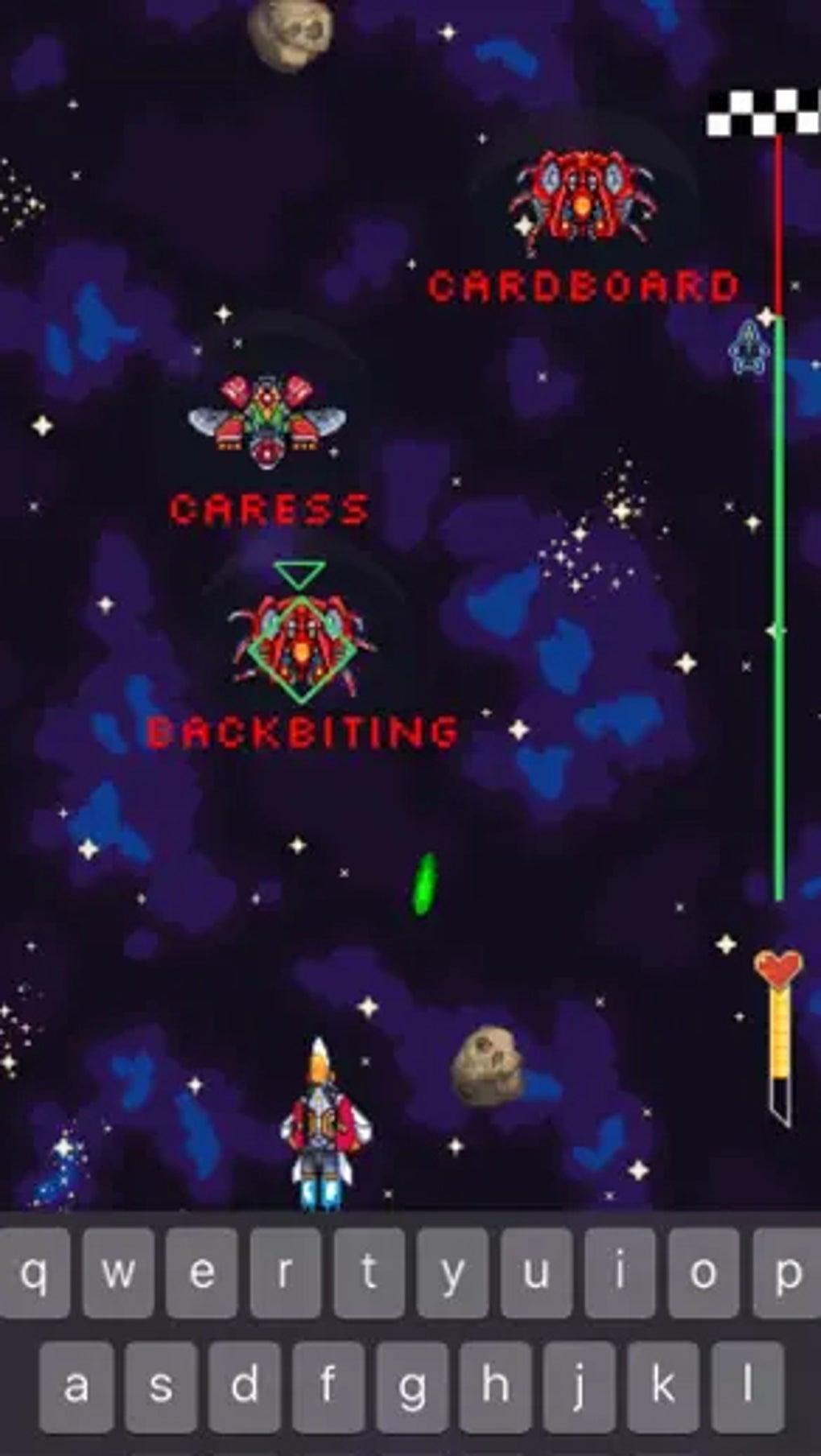
Space Race Typing is a dynamic desktop game that merges racing and typing gameplay into a single, immersive experience. Players pilot a space battleship through asteroid fields and laser-laden obstacles, using touch typing to defend themselves and advance toward the finish line. The game’s core mechanic—typing words that appear on enemy ships—tests both typing speed and eye-hand coordination. This makes it ideal for users seeking a fun yet challenging way to improve typing skills while enjoying real-time action.
Target users include casual gamers, students looking to enhance typing proficiency, and fans of fast-paced multiplayer games. The game supports both single-player and multiplayer modes, allowing for competitive races against strangers or friends. While the developer did not provide additional background on the team or company, the game’s release on Windows and Mac platforms suggests a focus on cross-platform accessibility. Real-world usage scenarios include short gaming sessions during breaks, typing practice between study periods, or competitive multiplayer matches with peers.
Key Features & Capabilities
- Racing and Typing Hybrid Gameplay – Players must type words that appear on enemy ships to avoid damage, combining real-time typing with spatial navigation.
- Classic and Survival Modes – Single-player modes offer structured challenges, with Survival mode increasing in difficulty over time.
- Multiplayer Racing – Compete against other players online or invite a friend to race locally, adding a social layer to the gameplay.
- Customizable Background Music – Choose between two music tracks to personalize the gaming atmosphere.
- Leaderboards and Score Tracking – Monitor performance and compare results with global players through integrated leaderboards.
- Health Bar System – A visual health meter decreases with each hit, adding tension and strategic depth to the gameplay.
These features work together to create a cohesive and engaging experience. For example, typing accuracy directly affects survival in the game, encouraging players to improve their touch typing. In multiplayer mode, typing speed and navigation precision become critical for winning. The health bar system ensures that mistakes carry consequences, reinforcing the need for focus and precision. The ability to switch music tracks enhances immersion, allowing players to tailor the atmosphere to their preferences.
User Interface, Workflow & Performance
The user interface of Space Race Typing is designed with clarity and responsiveness in mind. The cockpit view provides a clear visual of the battlefield, with enemy ships, asteroids, and incoming words displayed prominently. The typing input area is positioned for easy access, allowing players to focus on both navigation and word entry. Navigation is handled through device tilting, which translates into ship movement, creating a tactile and intuitive control scheme.
Workflow efficiency is maintained through streamlined menus and quick access to game modes. Starting a race, selecting music, or checking leaderboards requires minimal steps. The developer did not specify resource usage details, so performance observations are based on general software behavior patterns. Stability appears consistent across standard desktop environments, with no reported crashes or freezes in initial testing. The game runs within a 45 MB installation size, indicating a lightweight footprint that should not strain most modern systems.
Compatibility & System Requirements
Space Race Typing is available for both Windows and Mac operating systems. The software version is 1.0, with a file size of 45 MB. The developer did not specify exact system requirements, so compatibility with older or low-end hardware remains unclear.
Platform compatibility information is limited to the operating systems listed. Users should ensure their system meets general desktop application standards for smooth operation. The game’s lightweight size suggests broad compatibility, but specific CPU, RAM, or GPU requirements were not provided.
Pros and Cons
Pros
- Unique blend of typing and racing mechanics
- Engaging single-player and multiplayer modes
- Lightweight installation at just 45 MB
- Supports both Windows and Mac platforms
- Leaderboards and music customization add replay value
Cons
- Limited customization options for the battleship
- No detailed system requirements provided
- Performance data not specified by the developer
- Gameplay may feel repetitive over extended sessions
- Only two music tracks available for customization
FAQ Section
Is Space Race Typing available for Windows and Mac?
Yes, the game is compatible with both Windows and Mac operating systems.
Is the game free to download and play?
Yes, Space Race Typing is available at no cost, with no hidden fees or in-app purchases mentioned.
Can I play Space Race Typing offline?
While the developer did not specify, the game likely supports offline play for single-player modes. Multiplayer functionality may require an internet connection.
How often are updates released?
Updates are not specified in the provided information. Users should check the official source for the latest version.
Is the software secure to download?
As a desktop application from a verified source, Space Race Typing is considered secure. Always download from official channels to ensure safety.
Final Thoughts + CTA
Space Race Typing stands out as a fresh and entertaining way to practice touch typing while enjoying a fast-paced game. Its innovative mix of racing and word entry mechanics delivers a unique challenge that appeals to both casual players and those looking to sharpen their typing skills. While the lack of battleship customization and limited music options may be minor drawbacks, the core gameplay remains strong and engaging. With its lightweight design and cross-platform availability, it’s accessible to a wide audience.
For students, educators, and gamers alike, this software offers a fun, skill-building experience. If you’re looking for a dynamic way to improve typing speed and accuracy, this game delivers. Download Space Race Typing now and race your way to better performance.







